
Example assignment: quadratic equation
This example uses a Java assignment from a numerical methods course to illustrate registration, implementation, test feedback and feedback collection. The task concerns quadratic equations. The scores are illustrative; each course defines its own rubric and tests.
Try the assignment
Open the demo assignment to register with a GitHub account and create a private copy of the exercise. Follow the instructions in the repository's README, run the tests and push changes to receive feedback.
The public demo has a separate course and assignment from the teaching courses. Its registration link is available to anyone visiting this page.
Registration
The student opens the course's assignment page, signs in with GitHub, confirms the required registration details and accepts the declaration. Direct links supply the registration keys through URL parameters and let the student confirm their name. Moodle External tool activities supply a signed Moodle identity and released name through the integration described below. Both routes open this assignment; direct links work independently of Moodle.
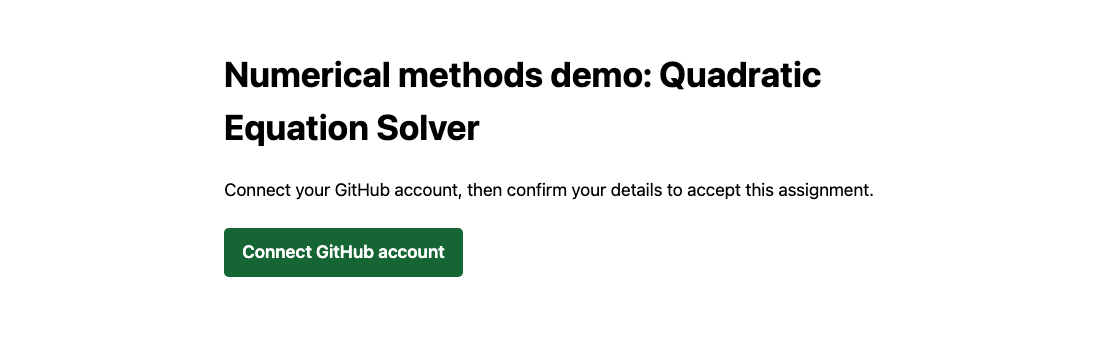
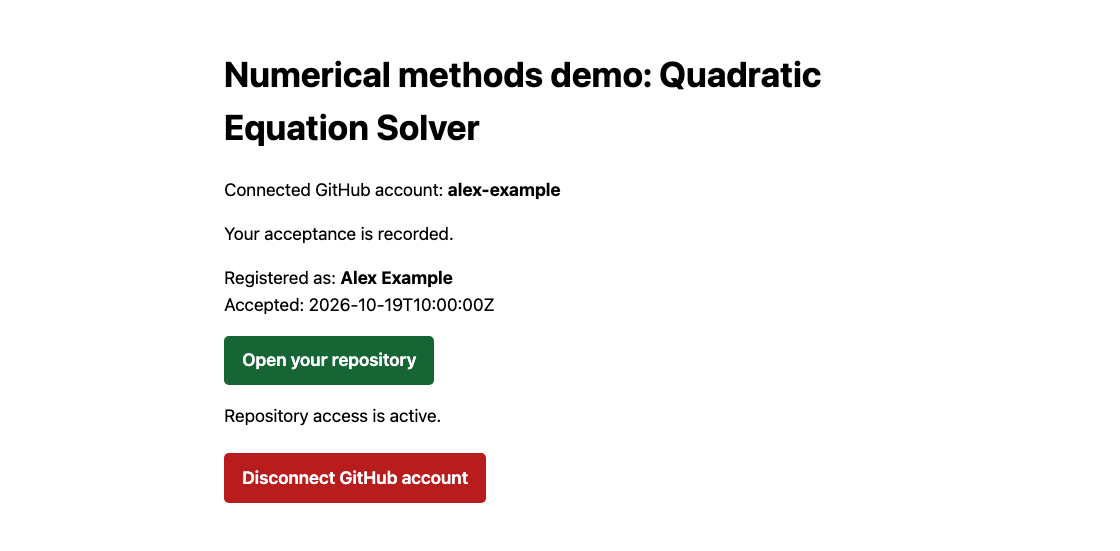
The screenshots show the application interface with fictional demonstration data.
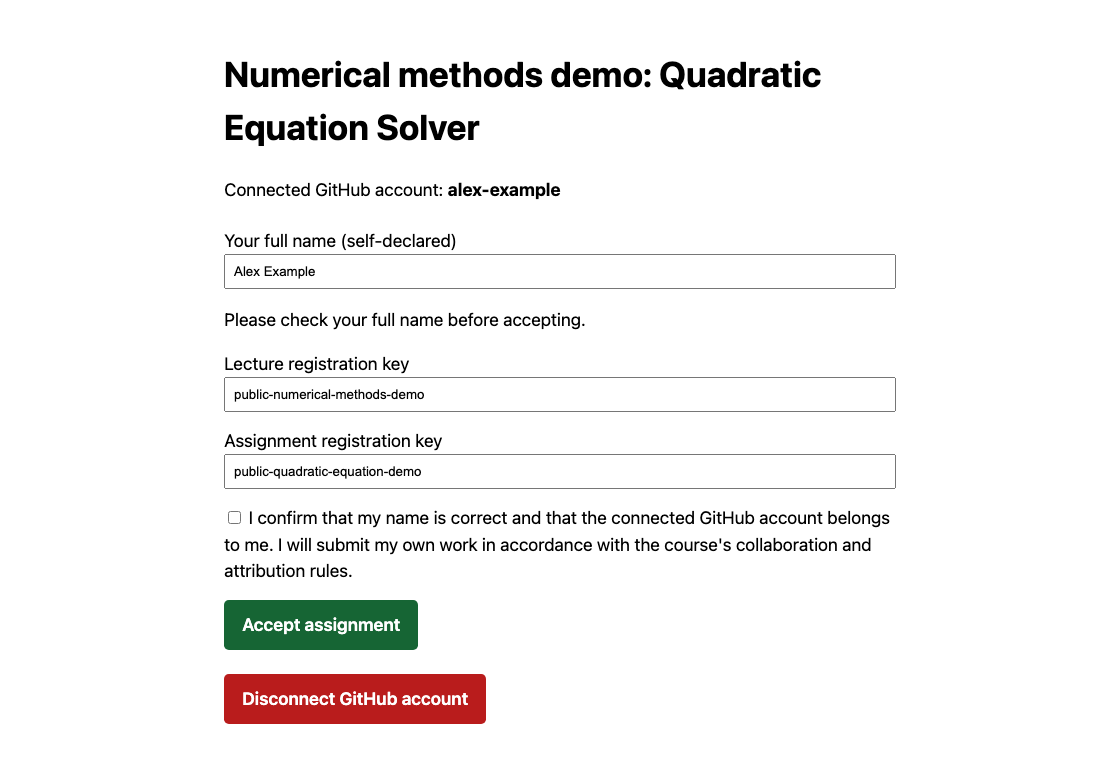
The service creates a private copy of the instructor's template and grants access. The student accepts the GitHub invitation when needed and opens the repository as a Java project.
Implementation
The assignment considers x² + px + q = 0. The method hasRealRoot() returns whether the equation has a real root:
public boolean hasRealRoot() {
    return p * p / 4 - q >= 0;
}
This implementation assumes finite coefficients and intermediate arithmetic that does not overflow. Floating-point extremes and numerical robustness require separate consideration.
The assignment also includes getSmallestRoot(), whose implementation is left to the student.
Test feedback
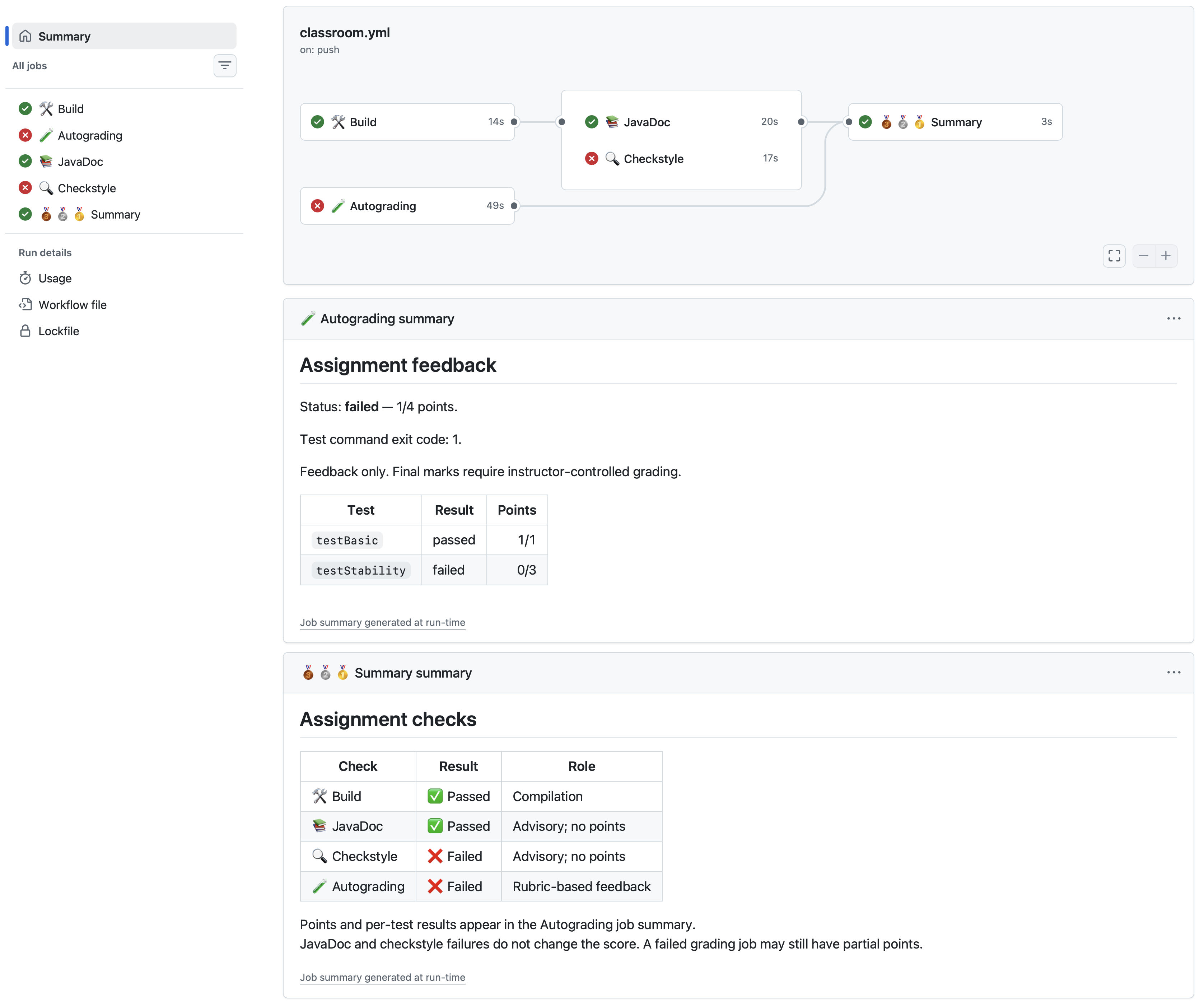
The student runs JUnit locally and pushes changes to the assignment repository. The configured GitHub workflow runs the tests and publishes feedback for each push. The following illustrative sequence uses fictional scores, assigning one point to hasRealRoot() and three points to getSmallestRoot():
| Run | What changed | Result | Points |
|---|---|---|---|
| 01 | Initial implementation; both tasks incomplete | Failed | 0/4 |
| 02 | Implement hasRealRoot(); getSmallestRoot() incomplete |
Failed | 1/4 |
| 03 | Complete getSmallestRoot() |
Passed | 4/4 |
The results reflect the tests and rubric configured for the workflow.
Feedback collection
The instructor can synchronize GitHub feedback and inspect the latest known result for each current enrollment. Earlier runs and reruns remain in the local history. With the CLI helper installed and configured:
classroom feedback sync
classroom feedback list --latest --format table
A missing, expired, or invalid latest result appears as unavailable feedback; an older score is not substituted. A missing result is not a zero.
These results are student workflow feedback. Automatic submission capture and an isolated runner for authoritative final grading remain future work. The feedback guide describes collection and administration.
Moodle integration
The same demo assignment can also be used to test Moodle integration. Register one reusable LTI 1.3 External tool with this Tool URL:
Each Moodle activity uses that tool and selects its assignment through the Custom parameters field. For this demo, enter these two lines:
classroom_lecture=numerical-methods-demo
classroom_assignment=quadratic-equation-demo
Other activities use their own lecture and assignment IDs with the same tool registration. Students click the named activity on their Moodle course page.
The classroom server must first be configured to trust the Moodle deployment. The two custom parameters select the assignment from its imported configuration; no Moodle course or activity IDs need to be added to the server. A normal Moodle URL link does not supply a verified identity.
For a new acceptance, a signed launch supplies the student's Moodle identity and, when name sharing is enabled, their name. The student connects a GitHub account and confirms acceptance without entering registration keys. An existing acceptance for that GitHub account shows its saved repository instead.
The public registration link above and Moodle launches are both supported. See the Moodle setup reference for configuration and learner-account testing.
The getting-started guide covers the application build, example configuration and setup of a live assignment.